Affiliate disclosure: We may earn a commission if you buy through links in this article. It doesn’t change our verdict — everything in this guide works on Muse’s free tier, and we say plainly where the paid tiers start.
Quick Answer
- Muse Spaces launched on November 6, 2026. Describe an idea in plain words and Muse builds it into a custom screen inside the app — a tracker, a planner, a dashboard — that stays there for you to reuse. No code, no separate app.
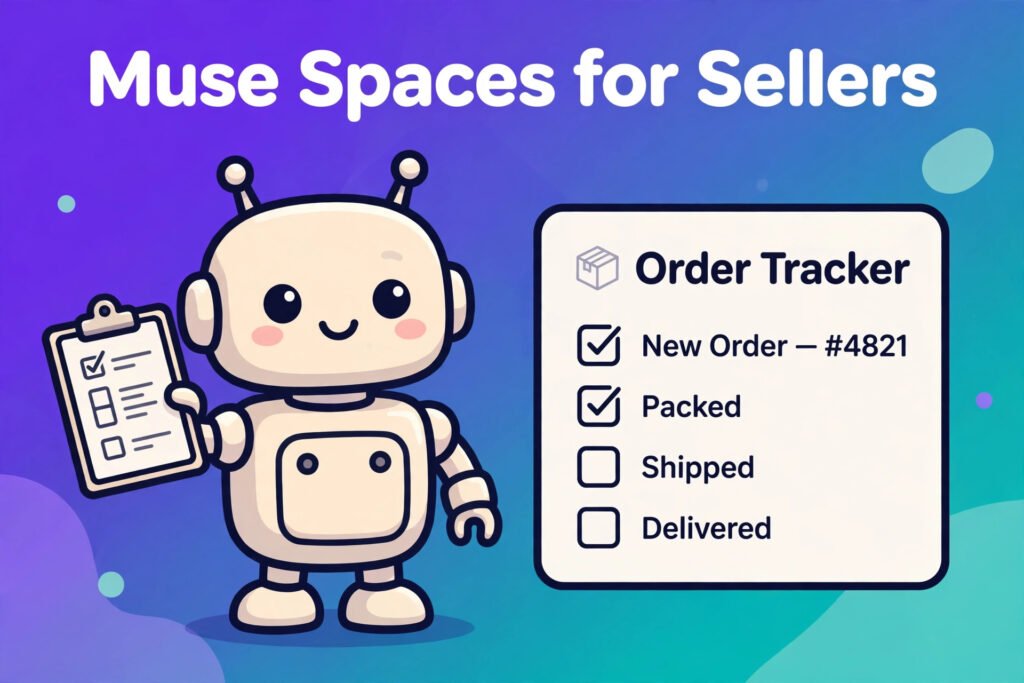
- Meta’s own small-business example is an order tracker: new orders, customer messages, and what needs to ship today, in one place. The other business example is a client hub for freelancers, with projects, deadlines, and invoices.
- Etsy sellers: this is a paste-in job, not a live connection. There is no Etsy connector in Muse, so your order tracker is fed by the details you paste in — not by Muse reading your Etsy dashboard. Shopify sellers have a better shot, because the Shopify connector exists in Muse — but Meta has not confirmed that Spaces can read it yet, so treat that as “try it and check” rather than a promise.
- Spaces are personal for now. You cannot share a space with a teammate or a virtual assistant yet — Meta says it is exploring that. And a space cannot send messages or place orders on its own; important actions still need your confirmation.
- Start free. Meta announced no separate price for Spaces. Muse’s free tier covers everything in this guide; Power is $20/month and Maximum is $100/month for heavier use. A payment card is required to start, even on the free tier.
How This Guide Was Put Together
This guide is built on Meta’s Spaces announcement of November 6, 2026 (“Design the Muse App, Just for You”), plus same-week coverage that read the announcement claim by claim (cellcog.ai, The Verge via iphoneincanada.ca, derringtoncollaborativeai.com), cross-checked on November 8, 2026. One honest caveat up front: Spaces is two days old and we have not run it hands-on — Muse is not available in Pakistan, where this site is written — so every step below is built from what Meta actually announced, not from a test run. Where Meta has not said something (how often a space refreshes, whether the Shopify connector feeds a space), this guide says so instead of guessing.
[SCREENSHOT: the Muse app showing a newly created order-tracker space]
1. What Muse Spaces Actually Is
Before November 6, Muse was a chat: you asked, it answered, and the next morning you started over. Spaces changes that. You describe what you need — “an order tracker for my small business” — and Muse builds a custom screen inside the app around it. The space stays in your sidebar or main tabs, you can pin it, hide it when you don’t need it, or schedule when it appears (Meta’s example: a work planner on weekdays, weekend plans on Saturday). You can check items off, add notes, and change how it looks or works just by telling Muse what to change. Edits and checked-off items stay saved for next time.
The second half is what makes it more than a pretty board: once you connect apps, Meta says spaces “keep themselves up to date in the background, so new concert dates, price changes, or savings progress show up without you having to ask.” The connected apps Meta and The Verge name are Gmail, Google Calendar, OpenTable, and Notion, among others. How often that background refresh happens, Meta has not said — so check a space against the original records before you trust it with a shipping deadline.
Spaces are available everywhere Muse is available, from November 6. That means the US (since September 8, 2026), Canada (September 18), Japan (October 23), and Singapore (October 27). Muse for Small Business skills are still US and Canada only. If you are outside those four countries, Spaces is not available to you yet, and Meta has given no date for the next markets.
New to Muse? You sign up with a Meta account (you must be 18 or older). If you are asked for an invite code during sign-up, ours is MTZ8AI. Full steps are in our how to create a Muse AI account guide.
2. Build the Order Tracker: The Space That Earns Its Keep
This is the space Meta built its announcement around, and it is the one that maps most directly onto a seller’s day. Here is how to set it up, honestly, for each platform.
For Etsy sellers: paste in, then maintain
There is no Etsy connector in Muse — our Etsy guide covers what that means in detail — so your order tracker cannot pull orders from Etsy by itself. What it can do is hold the working picture you give it, in one screen, instead of scattered across chats. Ask Muse to build it like this:
“Build me an order tracker space for my Etsy shop. It should show: new orders waiting to be packed, buyer messages I haven’t replied to, and what needs to ship today. I will paste in my open orders each morning.”
Then each morning, paste in the open orders from your Etsy dashboard (order number, buyer, item, ship-by date) and any unread buyer messages. Ask Muse to sort them by ship-by date and flag anything due today. When an order ships, tell the space — check it off or paste the updated list. That daily paste takes two minutes, and it is the price of having no connector. The payoff is a single screen that answers “what ships today?” without opening three tabs.
One warning that matters: never paste a buyer’s full address, phone number, or payment details into Muse. Order numbers, items, and ship-by dates are enough for tracking. Keep the personal details in Etsy, where they belong.
For Shopify sellers: connect first, then check
Shopify is the one store platform with a real Muse connector (see our Shopify guide), which can see products, inventory, and orders directly. That makes a Shopify order tracker the most promising version of this space — but with a caveat we will not hide: Meta has not confirmed that Spaces can read the Shopify connector. The connector list and the Spaces announcement are two separate things, and no coverage we checked has tested the combination yet.
So the honest setup is: connect Shopify in Muse first (Settings, then the connector), then ask for the order-tracker space, then verify — ask the space for today’s orders and compare them against your Shopify admin. If they match, you have a live tracker. If the space only knows what you pasted, you have the Etsy-style manual version, and it still works. Either way, do not trust it with a shipping deadline until you have seen it match reality once.
[SCREENSHOT: an order-tracker space showing new orders, unread buyer messages, and today’s shipping list]
What a good order tracker shows
Whether you paste or connect, ask for these four sections and nothing more. A tracker with twenty sections is a tracker you stop opening.
- Ships today — orders sorted by ship-by date, today first.
- New orders — anything that arrived since your last check.
- Messages waiting — buyer messages you have not answered, oldest first.
- Watch list — anything odd: a custom order, a delayed shipment, a buyer asking to change an address.
End each day by asking Muse to summarise what shipped, what is still open, and what is due tomorrow. That one-minute review is the whole point of the space: the morning’s chaos, already sorted.
3. The Second Space Worth Building: A Client Hub
Meta’s other business example is a client hub for freelancers — projects, deadlines, and invoices in one place. If you do custom work alongside your shop (custom orders, wholesale, design clients), build this one too. The prompt is the same shape:
“Build me a client hub space. It should track my active custom orders and freelance clients: project, deadline, amount, and whether the invoice is paid.”
Feed it from your calendar and email (both connect to Muse) and from the notes you paste in. The same rule applies as the order tracker: a space is only as current as the information reaching it, and Meta has not published a refresh interval, so verify deadlines against your calendar before you promise a client a date.
4. Three More Spaces Sellers Will Actually Use
- The weekly planner. Meta’s own example: a planner that stays up front on weekdays and swaps for weekend plans on Saturday. Use it for the selling week — listing days, dispatch days, the one marketing job per day — and let the weekend version hold personal plans. Schedule it, don’t just pin it.
- The shopping hub. Meta’s example gathers gift ideas, saved Instagram posts, Marketplace listings, and buyer messages. For a seller, flip it: a trend-watch space where you save competitor listings, trending search phrases, and product ideas you spot on Instagram, all in one place. It is research, not a dashboard — but research you can actually find again.
- The holiday gift tracker. Meta’s example again, and timely: with Black Friday on November 27 and Cyber Monday on November 30, a gift tracker that watches prices on the supplies and tools you buy is a small, real saving. Our Etsy holiday playbook covers the wider late-start plan; the tracker is the tool inside it.
5. What Spaces Can’t Do Yet
| What you might expect | What is actually true (Nov 8, 2026) |
|---|---|
| Share the tracker with your team or VA | Not possible yet. Meta says it is “exploring ways” to share spaces. No date announced. |
| Muse messages a buyer or ships an order on its own | No. Important actions like sending email or making purchases still need your confirmation. A space organises; it does not act alone. |
| Live Etsy orders inside the space | No. There is no Etsy connector, so Etsy data only arrives when you paste it in. |
| Live Shopify orders inside the space | Not confirmed. The Shopify connector exists in Muse, but Meta has not said Spaces can read it. Verify before relying on it. |
| Export the space or turn it into a standalone app | No. Spaces live inside Muse only. Meta has announced no export or app-store option. |
| A fixed refresh schedule for connected apps | Not published. Meta says spaces update in the background; how often is undisclosed. |
Two more honest limits. First, the free tier is generous but metered — Zuckerberg has said free use runs to about 100 million Muse tokens a week — and Spaces’ announcement gives no separate price or allowance, so don’t read “no price announced” as “unlimited free use.” Second, Spaces is two days old: expect rough edges, and expect Meta to change details fast. If a claim in this guide stops matching your app, the app is right and this guide needs an update.
6. What Else Changed the Same Week
Spaces did not arrive alone. Voice conversations with an animated, expressive avatar began rolling out in the US on November 5, and on November 6 Meta also started rolling out specialised versions of its models for Muse, trained with what it learned from its Muse Wonder model. Zuckerberg’s own post about Spaces on November 6 said he had been “playing around with spaces in Muse lately” and had made a BBQ game, an event tracker, and a home control dashboard. The pattern is clear: Muse is moving from a chat you visit to an app you live in. Sellers who learn the new pieces early — Spaces first — get the first rankings and the first habits.
FAQ
Is Muse Spaces free?
Meta announced no separate price for Spaces. It is part of Muse, which has a free tier (usage limit, payment card required to start), Power at $20/month, and Maximum at $100/month. Nothing in the announcement suggests Spaces needs a paid plan — but Meta has not said that outright either, so check inside your own app.
Where is Muse Spaces available?
Everywhere Muse is available: the US, Canada, Japan, and Singapore, from November 6, 2026. It is not available in the UK, the EU, India, Pakistan, or anywhere else yet.
Can Muse Spaces read my Etsy shop?
No. There is no Etsy connector in Muse, so a space only knows what you paste into it. That is still useful — one screen for ships-today, new orders, and waiting messages — but it is not a live dashboard.
Can I share a space with my team?
Not yet. Meta says it is exploring ways to share spaces with other people, with no date announced. For now, spaces are personal.
Does a space send messages or buy things by itself?
No. Spaces organise information. Sending email, messaging a buyer, or making a purchase still goes through Muse’s normal confirmation step — you approve it first.
Do I need a credit card to use Spaces?
You need a payment card on file to use Muse at all, even on the free tier. The card is not charged unless you upgrade to a paid plan.
Pricing verified November 8, 2026: Muse Free ($0, ~100M tokens/week reported), Power $20/month (500M tokens/week), Maximum $100/month (3B tokens/week), per Meta’s Help Center and launch reporting. No separate Spaces price has been announced. Availability: US, Canada, Japan, Singapore.